pubrs

Free and open source, MIT

Desktop publishing, still free.

pubrs is a desktop publisher for flyers, newsletters, labels and cards. It opens your old Publisher files and exports PDFs a print shop will accept.

  • Windows
  • macOS
  • Linux
  • MIT licence

A free alternative to Microsoft Publisher, which reached end of life in October 2026. Version 0.2 is early software: see Good to know.

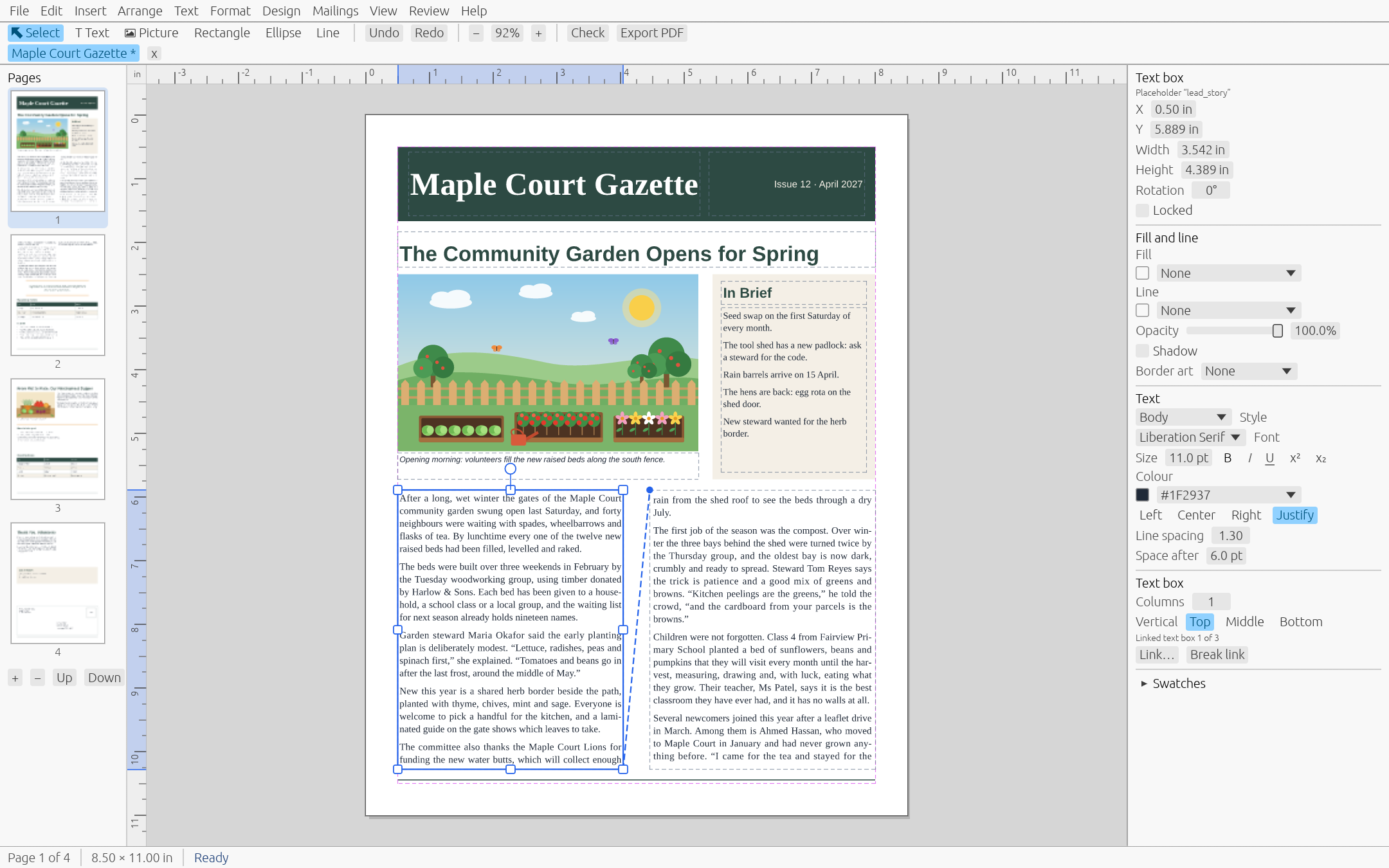
The pubrs editor showing the first page of a four-page community newsletter, with the lead story selected and the properties panel open

01 / Why pubrs

A publisher you can keep.

Free and open

MIT licensed, no account, no subscription. The file format is documented, so your work is never locked in.

Opens your .pub files

Bring in text, pictures, shapes, tables and colour schemes from Publisher 2002 and later. You get a report of anything left behind.

Prints like a pro

PDF/X-4 with bleed and crop marks, CMYK and spot colours, and a package for your commercial printer.

Works with your AI assistant

An MCP server lets assistants create and edit publications. A command line does the same for scripts.

02 / Feature tour

What is in 0.2.

01

Start from a template

Thirteen built-in templates: flyer, trifold brochure, business card, a four-page newsletter, greeting card, postcard, certificate, menu, letterhead, #10 envelope, a 12-month calendar, address labels and a business card sheet.

Every template uses a colour scheme, so one click recolours the whole thing.
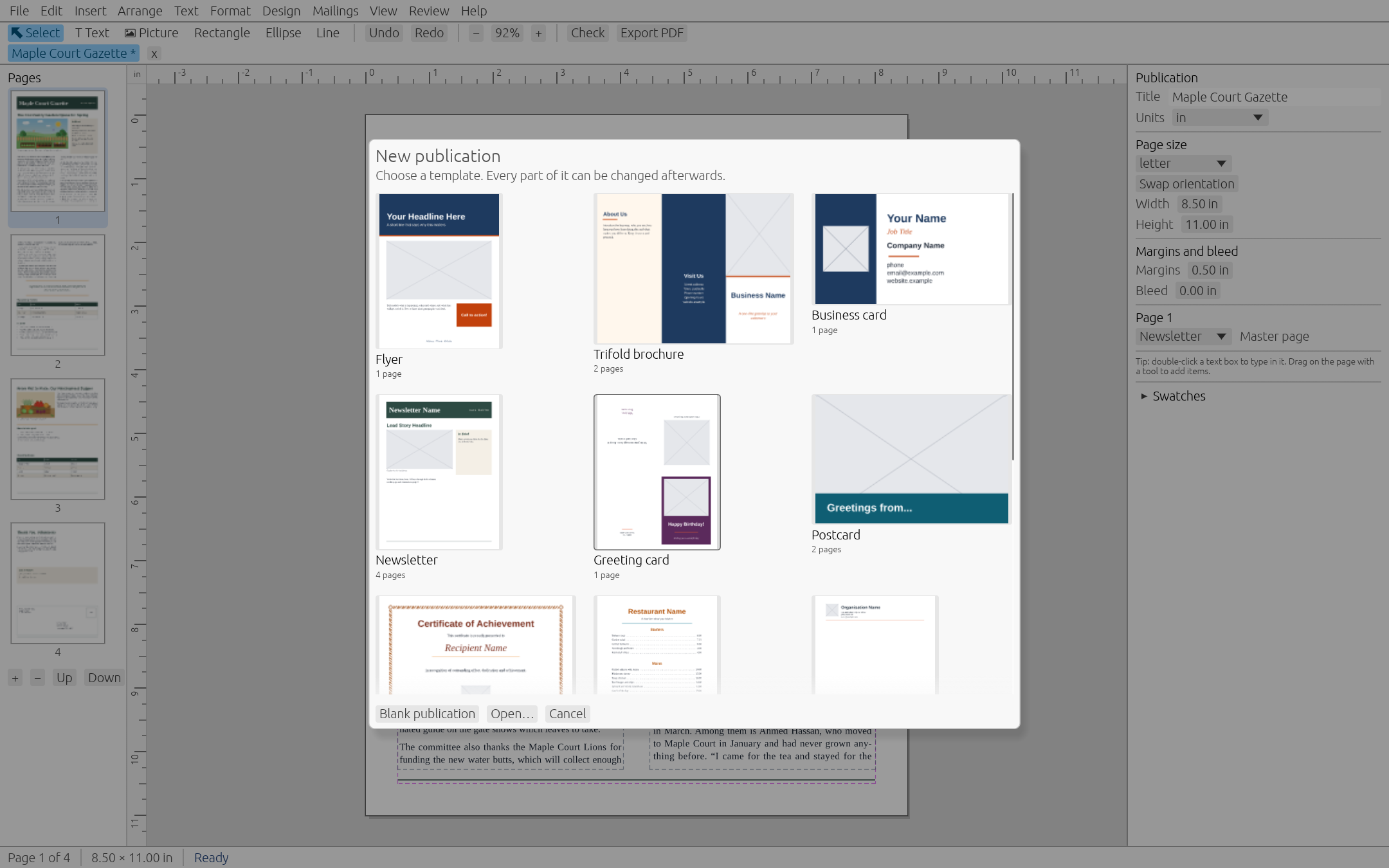
The New from Template gallery open over a newsletter
02

Tables that behave

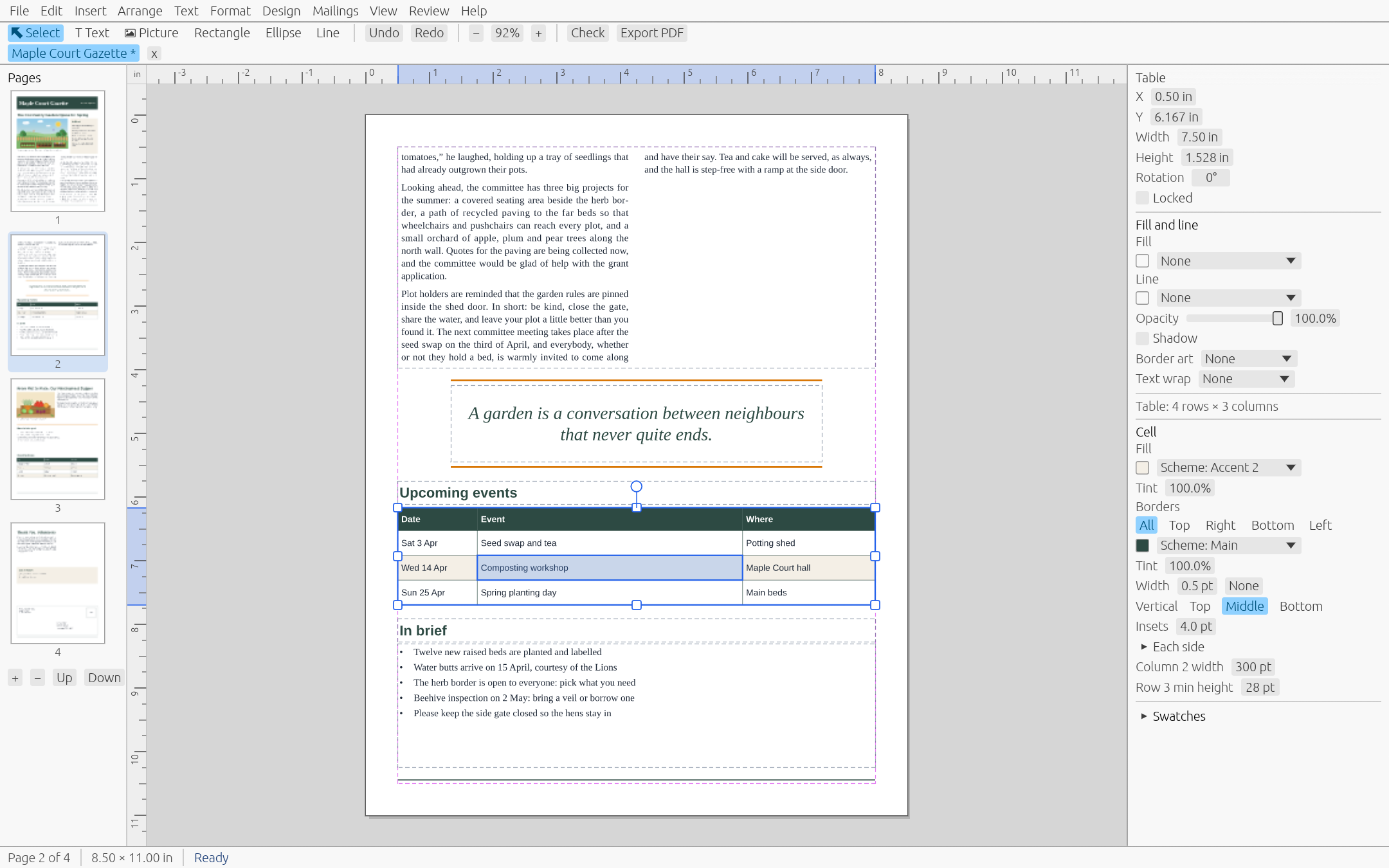
Insert a table, type into it and move between cells with Tab. Merge and split cells, resize rows and columns, and set cell properties.

A newsletter page with a filled events table, a cell selected and the cell properties open
03

Mail merge and label sheets

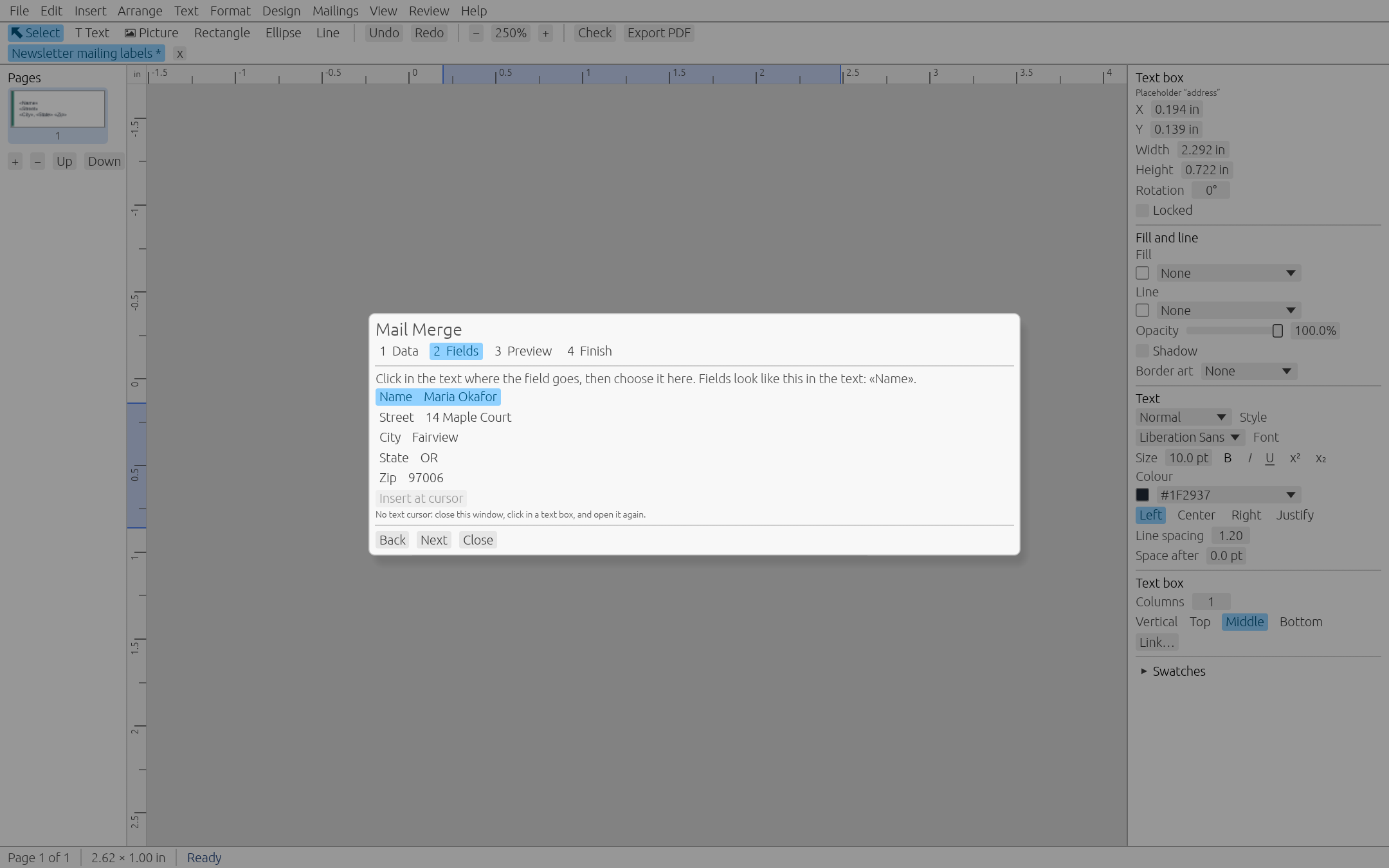
Pick a CSV or XLSX list, drop merge fields into your design, preview, then merge to PDF, to a new publication or to the printer. Letters work the same way as labels.

26 sheet presets cover Avery and A4 labels and cards. Booklets are imposed for saddle stitch.

The Mail Merge wizard on its Fields step, over an Avery 5160 address label sheet with a 30-record list loaded
04

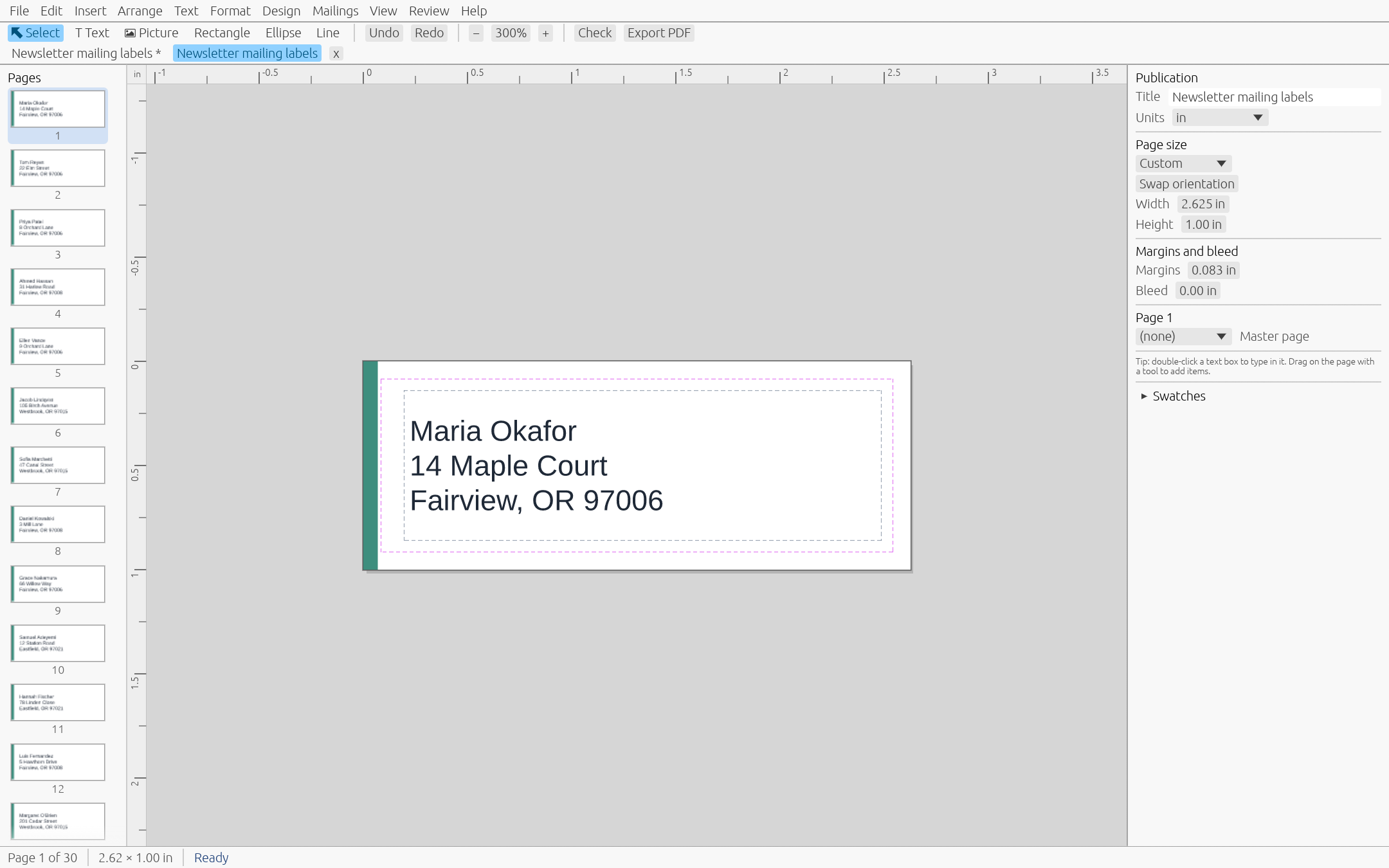
Merged labels, ready to print

One record per label, placed at the exact positions of the sheet. Avery and other product numbers are trademarks of their owners and only name a sheet.

The merged publication: one address label per page, with real names
05

Design Checker

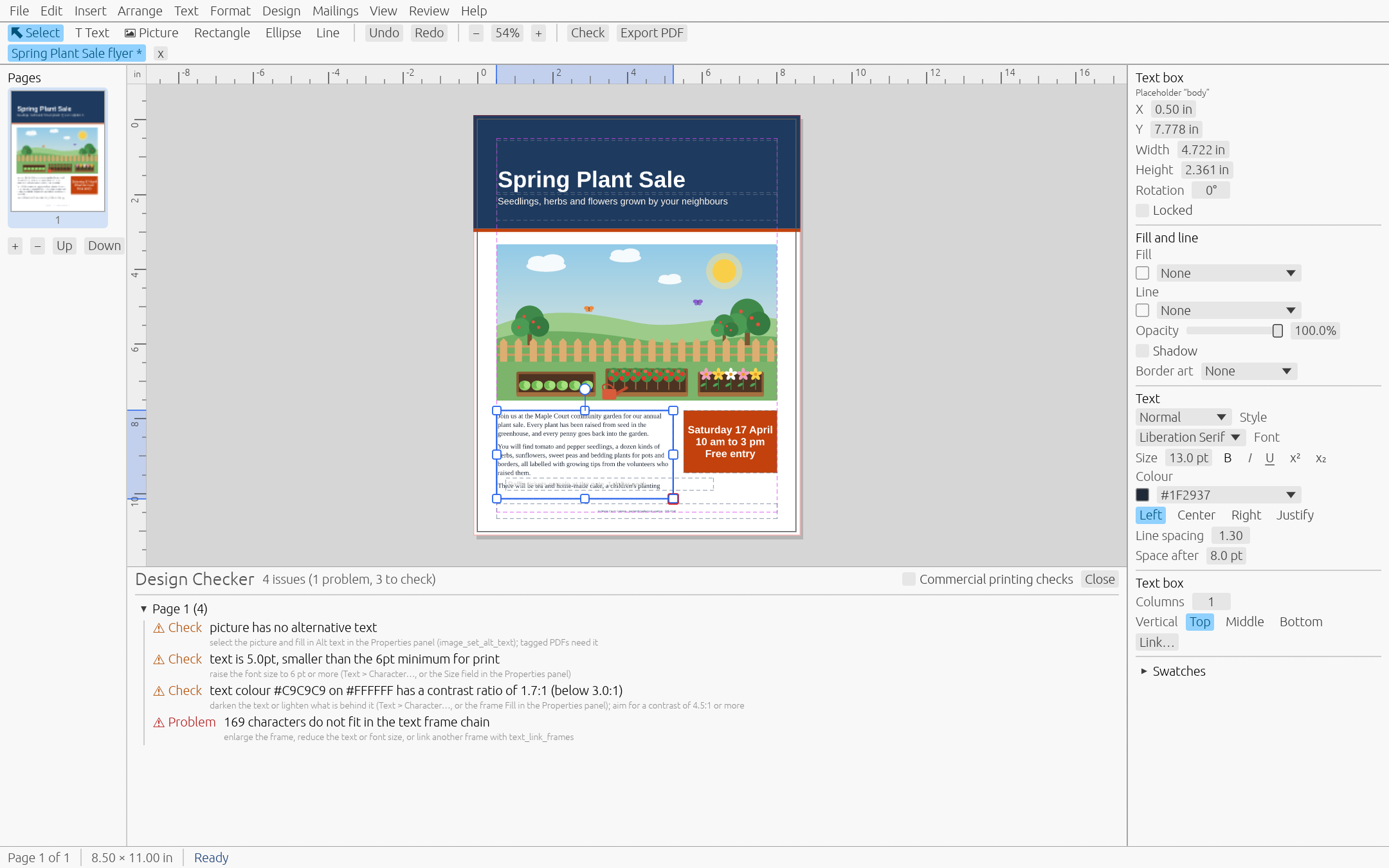
A panel that updates as you edit and lists what could go wrong in print: text that does not fit, missing fonts, pictures under 150 dpi, objects past the bleed, RGB colour in a commercial job. Click an issue to jump to it.

A flyer with the Design Checker listing four issues, including missing alt text, tiny text, low contrast and overflowing text
06

WordArt and BorderArt

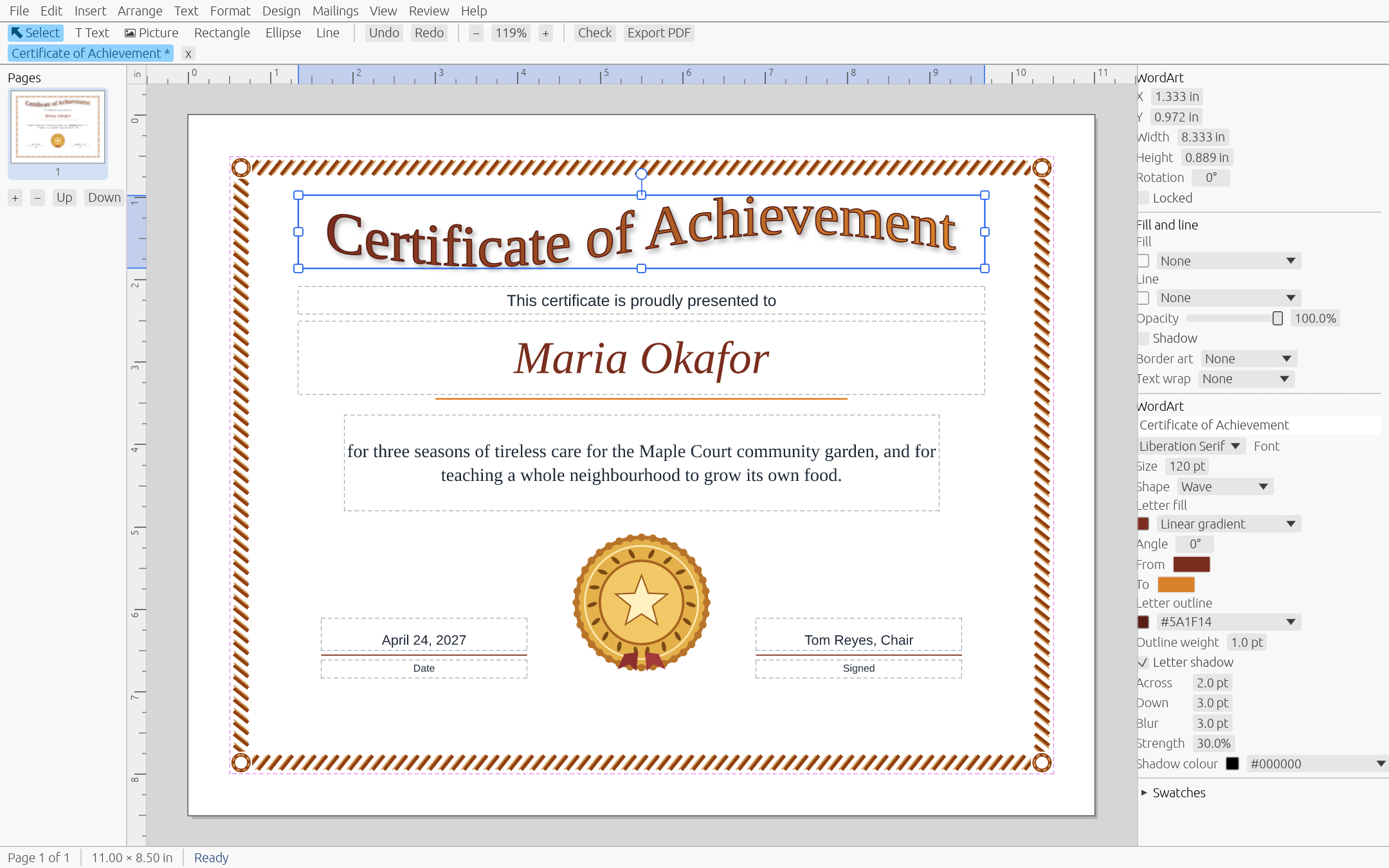
WordArt, drop shadows and BorderArt for the certificates, menus and cards where you want some flourish.

A certificate with BorderArt and a wave-shaped WordArt title selected
07

Colour that prints

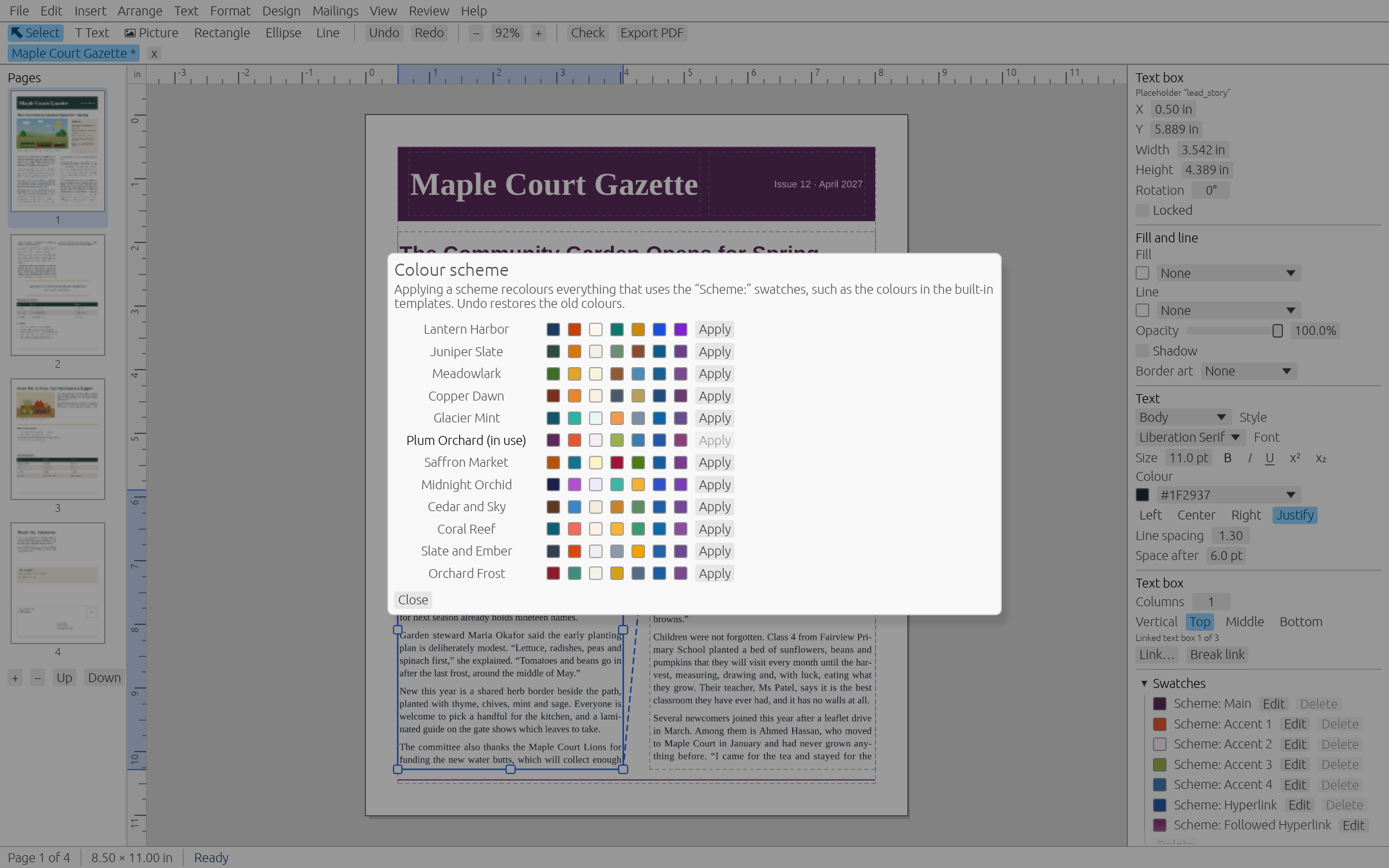
RGB, CMYK and spot swatches, tints, linear and radial gradients, and twelve colour schemes. Change a swatch once and every use follows.

The Colour Scheme dialog with the Plum Orchard scheme applied to a newsletter, and the Swatches panel open
08

Ready for the print shop

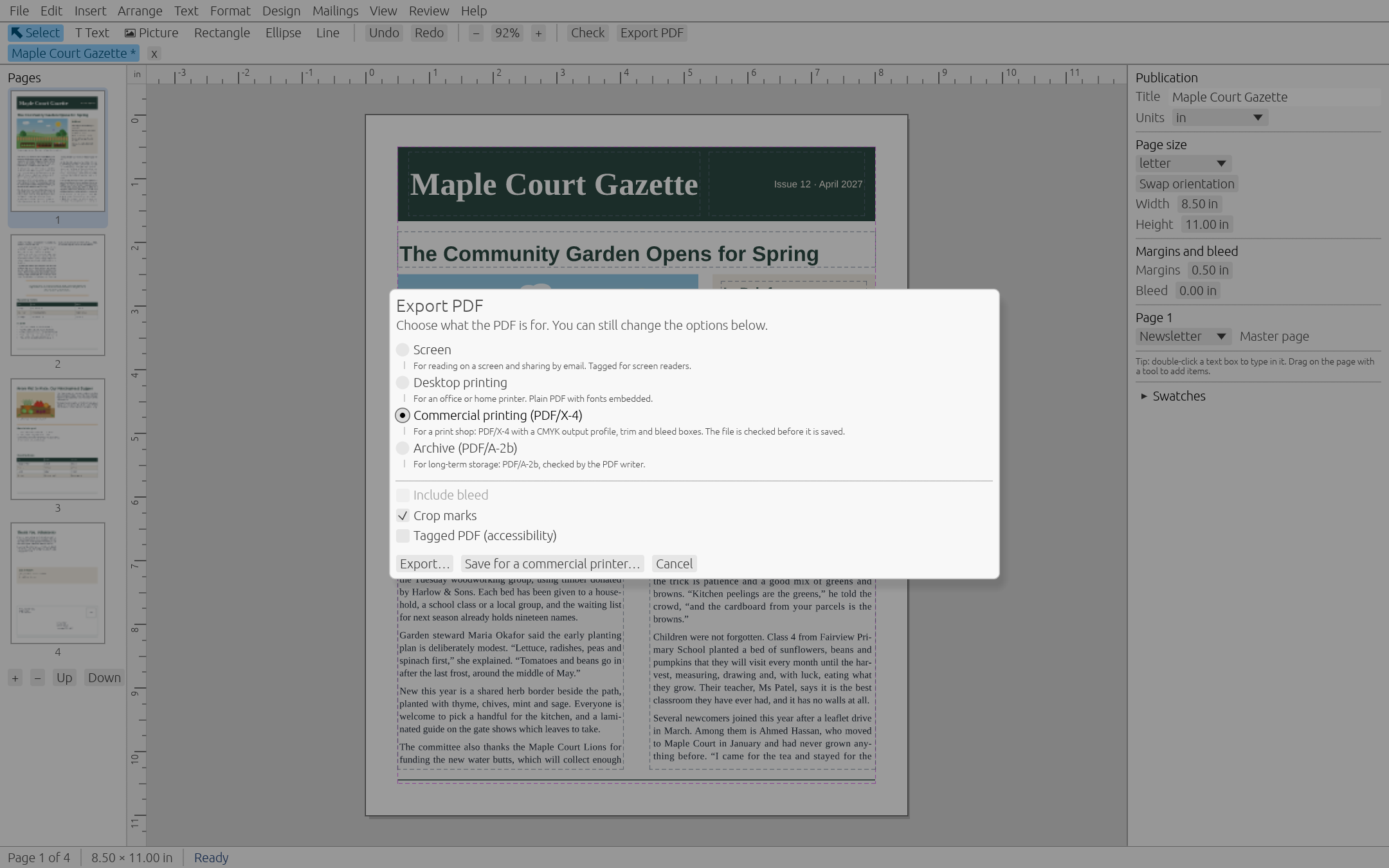
Export PDF/X-4 with a CMYK output intent, bleed, crop marks and embedded fonts, checked before it is written. Save for a commercial printer bundles the PDF, the editable publication with its pictures, and a list of fonts and colours.

pubrs does not check trapping, overprint or total ink. Ask your printer to run a preflight.

The Export PDF dialog with the Commercial printing PDF/X-4 preset selected
09

Open your old .pub files

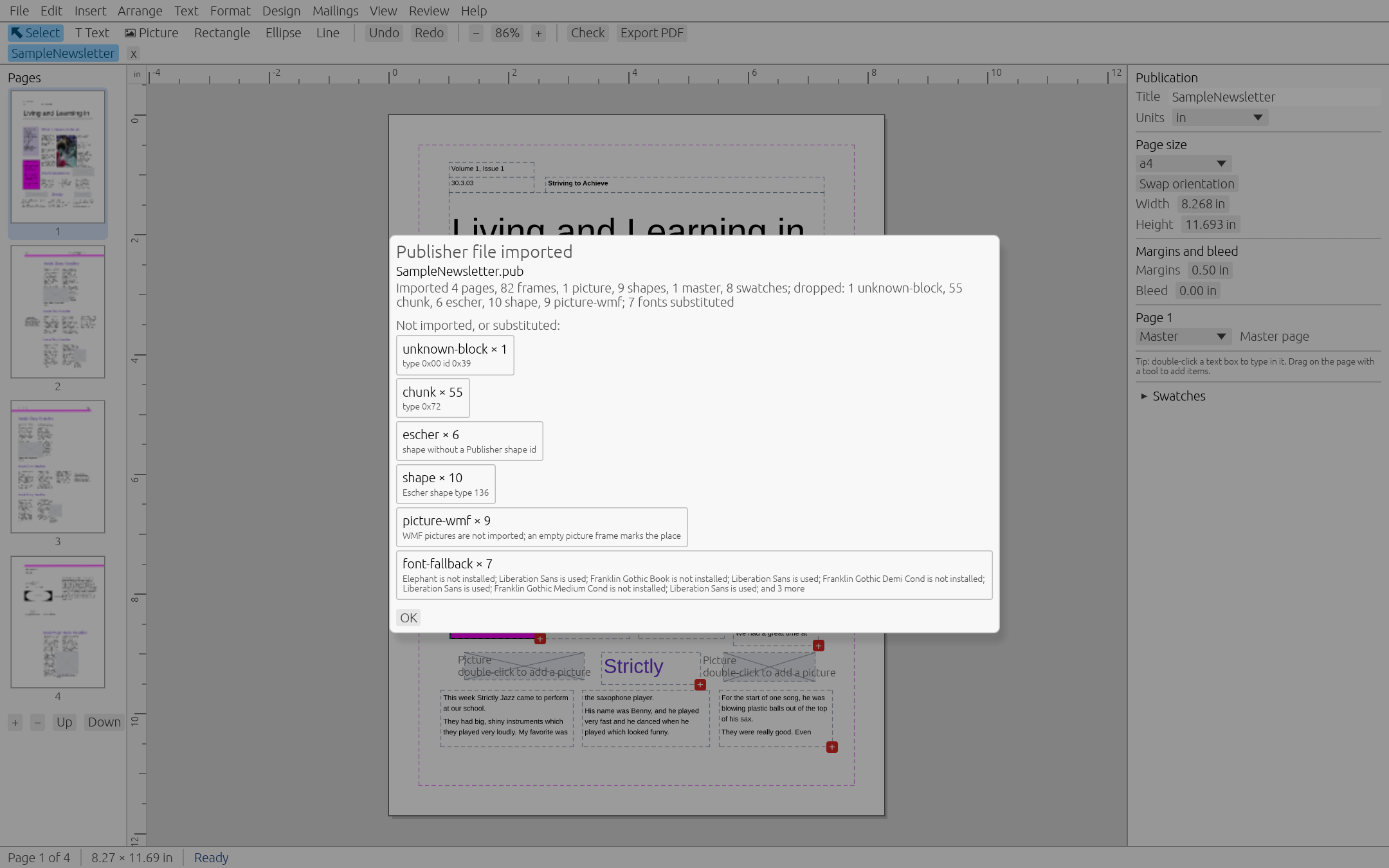
Open a Microsoft Publisher file from Publisher 2002 or later and get its pages, text, pictures, shapes, tables and colour scheme. Publisher 98 and 2000 files come across as text and the colour scheme.

Anything pubrs cannot bring over, such as Windows metafile (WMF) drawings, goes into a report instead of vanishing.

A Publisher file imported into pubrs, with the import report dialog listing what was left out

Also in the box

  • Hyphenation and justification
  • Paragraph controls and drop caps
  • Tab stops with leaders, bullets and numbering
  • Character formatting
  • Tight and through text wrap
  • Rulers and guides
  • Find and replace
  • Spell check
  • Clipboard, IME and right-to-left text
  • Open .pubrs file format

Layout is incremental, so editing stays quick. A 200-page publication takes about 10 ms per keystroke on the developer's machine.

03 / Made with pubrs

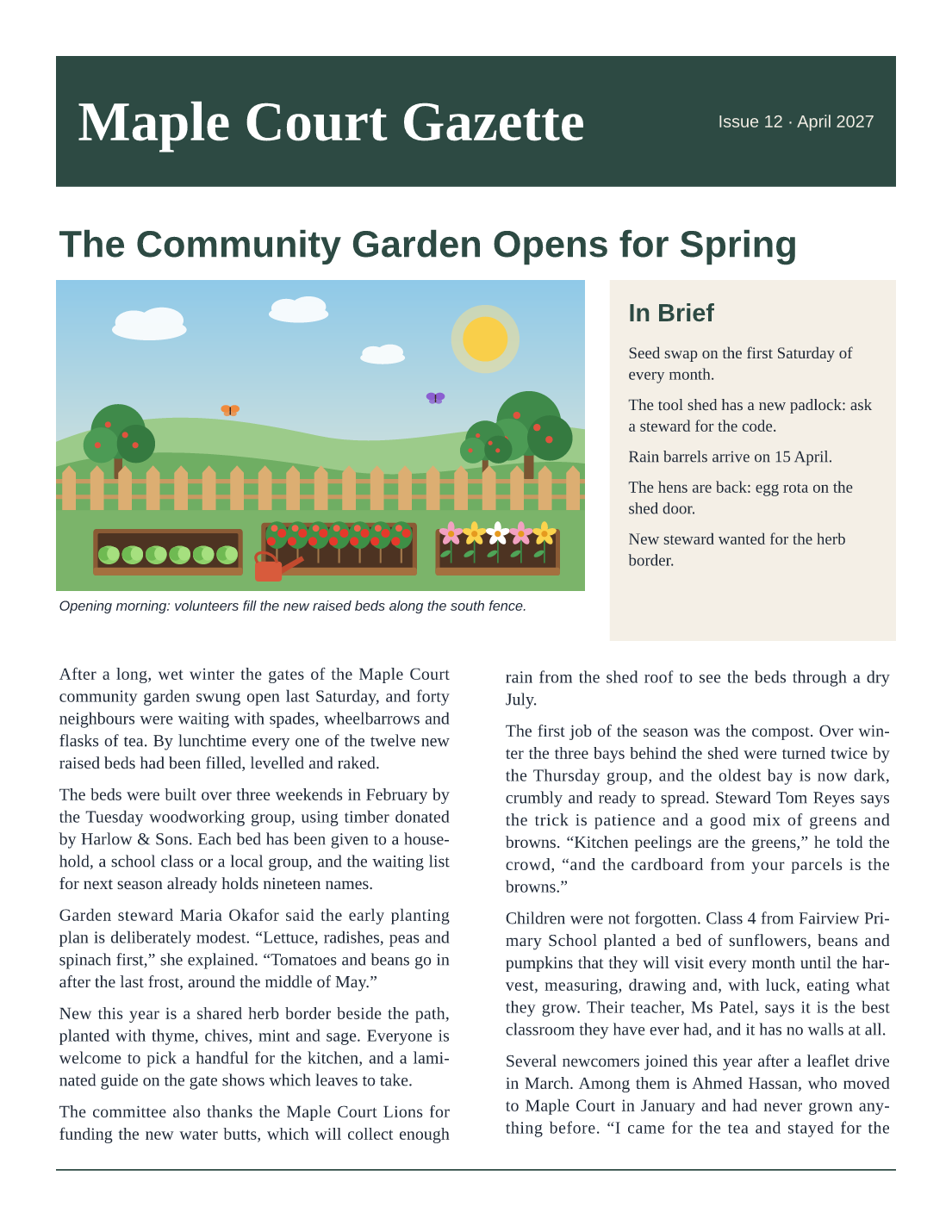
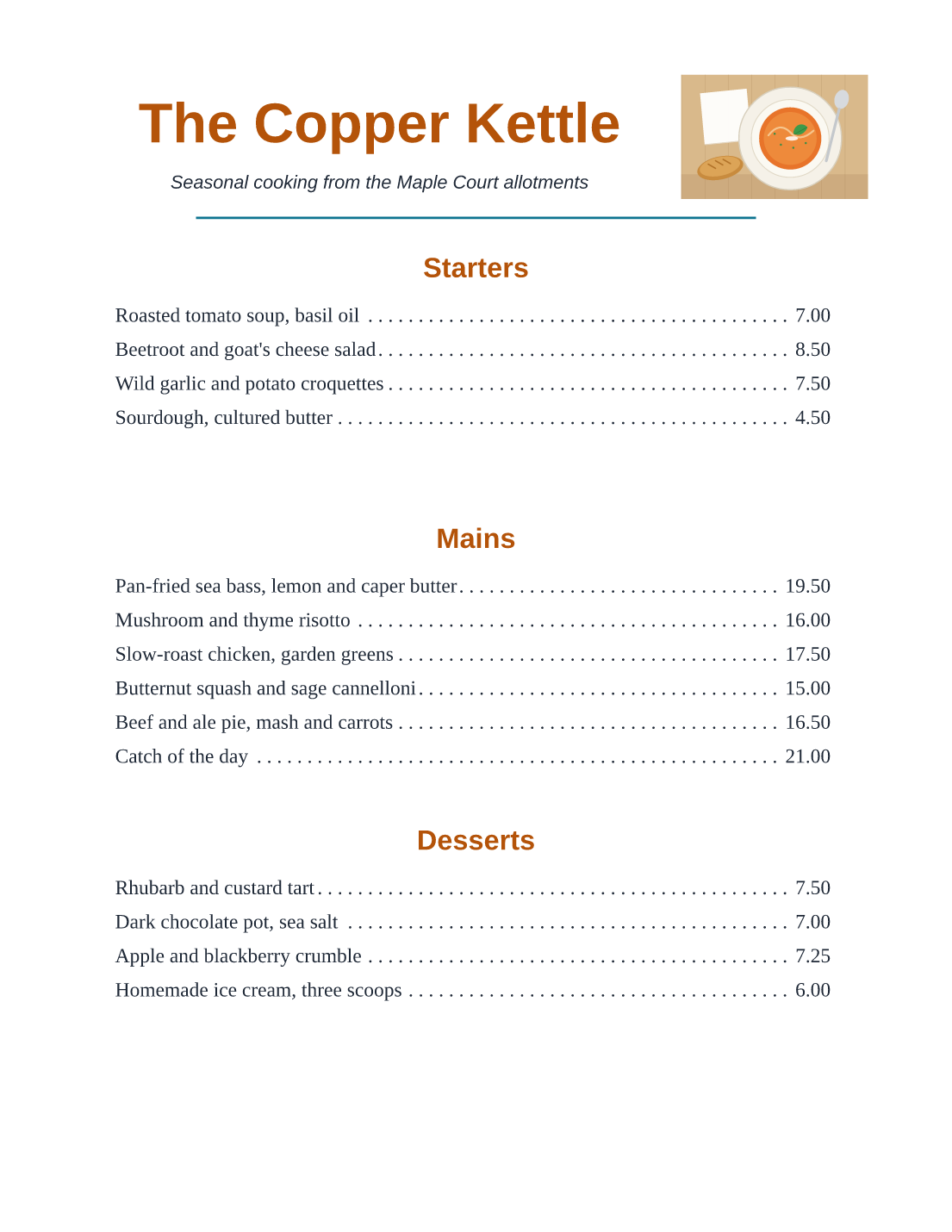
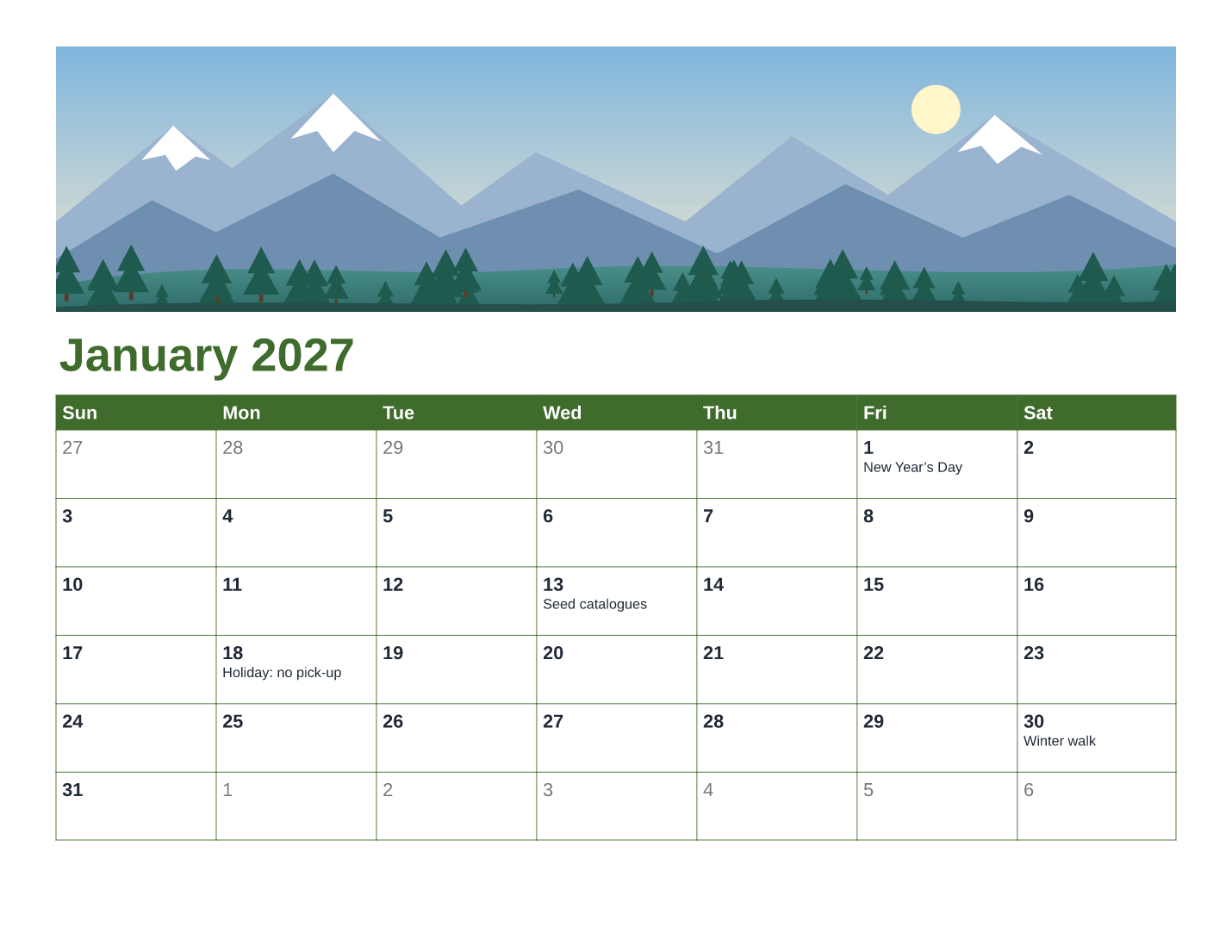
Pages from the templates, filled in.

04 / For power users

Scriptable, and open to assistants.

pubrs is a command line for exporting, rendering, validating, importing and merging. Add --no-system-fonts for the same output on every computer.

pubrs-mcp is an MCP server, so an AI assistant can create, edit, render and export publications with no GUI. See MCP.md.

# export a PDF with crop marks
$ pubrs export brochure.pubrs -o brochure.pdf --crop-marks

# mail merge: one label per row
$ pubrs merge labels.pubrs --data list.csv -o labels.pdf

# convert a Publisher file
$ pubrs import old.pub -o new.pubrs

# check for print problems
$ pubrs validate brochure.pubrs --commercial

05 / Download

Version 0.2.1.

Windows

Windows 10 or 11

  • MSI installer for x64
  • MSI installer for ARM64
Get the MSI

macOS

macOS 12 or later

  • One universal DMG
  • Apple silicon and Intel
Get the DMG

Linux

X11 and Wayland

  • .deb for Debian and Ubuntu
  • AppImage for any distribution
  • x86_64 and aarch64
Get .deb or AppImage

The installers are not signed. Your system will warn you the first time.

On Windows, SmartScreen says the publisher is unknown: choose More info, then Run anyway. On macOS, Control-click pubrs in Applications and choose Open. Details are in the User Guide.

06 / Good to know

The honest list.

  1. This is version 0.2. Expect rough edges, and tell us about them on GitHub.
  2. The installers are unsigned, so Windows and macOS warn on first run.
  3. Publisher import drops Windows metafile (WMF) drawings and reports them. Publisher 98 and 2000 files import text and the colour scheme only.
  4. Printing on Windows and macOS has not been tested on real printers by the automated checks. Test-print label sheets before using real stock.
  5. pubrs does not check trapping, overprint or total ink coverage. Ask your printer for a preflight.